
How to set up a Phone number in Cue
To use the Phone channel in Cue, you need a phone number attached to your workspace. You can either purchase a new number through Cue or port an existing number from another provider. Both paths require regulatory approval before your number goes live. This guide walks through what's needed, how each path works, and what to expect at each stage.
Available regions
Cue supports numbers in South Africa and the United Kingdom. The available number types differ by region.
South Africa
- Local (e.g. Johannesburg 011, Cape Town 021)
- Toll-free (0800)
- Mobile (e.g. 060, 072, 082)
United Kingdom
- Local (e.g. London 020, Manchester 0161)
- Mobile (+44-7)
- Toll-free (+44-800, +44-808)
Regulatory compliance
Before you can acquire a number in Cue, you need to submit a regulatory compliance bundle. This is a set of documents about your business that the number provider reviews to confirm you're authorised to hold a number in that region. The documents required depend on the country and the type of number.
What you need to provide
🇿🇦 South Africa:
- Proof of ID (government-issued)
- Recent proof of address (e.g. utility bill)
- Proof of Business registration number (e.g. CIPC certificate)
🇬🇧 United Kingdom:
- Recent proof of address (e.g. utility bill)
- Proof of business registration
How to submit your bundle
- Open app.cuedesk.com
- Navigate to Connectivity → Compliance
- Select New bundle
- Choose the country and number type you want a number for
- Complete the Business details section
- Upload the required documents
- Review and submit
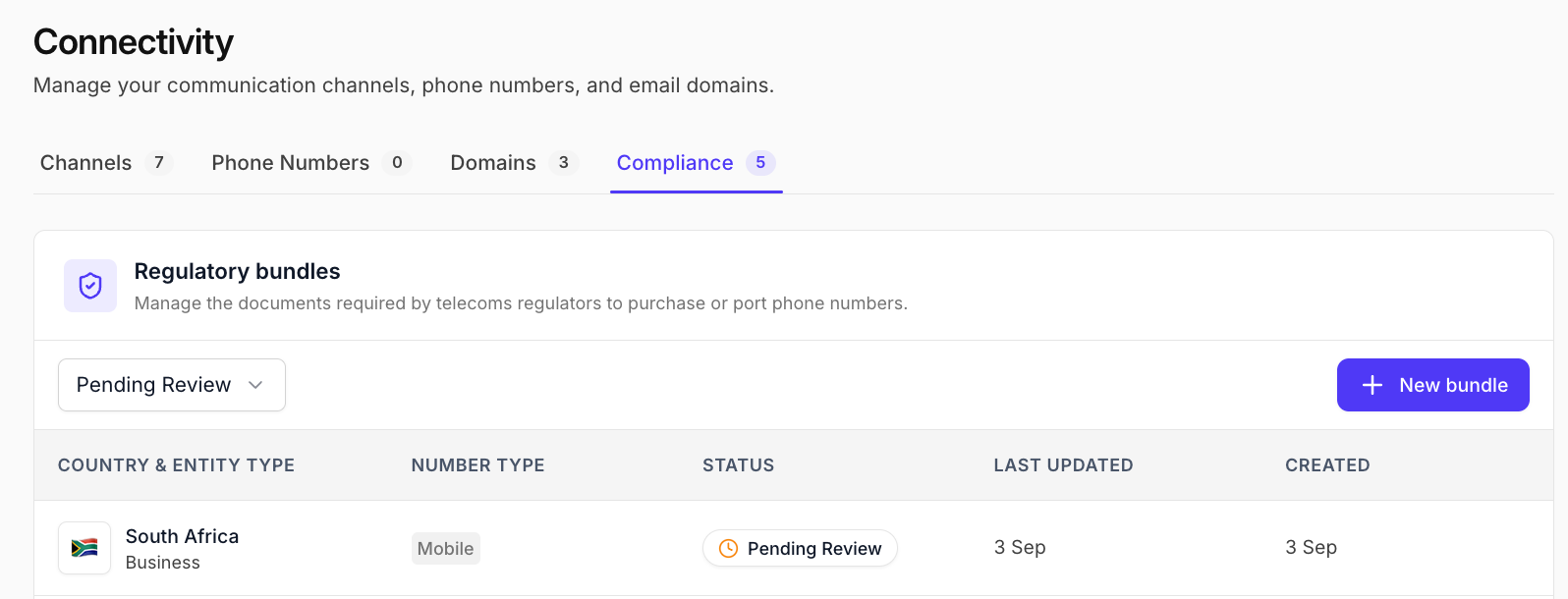
Once submitted, your bundle is reviewed for compliance, and will appear as “Pending Review” in the platform, followed by a confirmation email to all Workspace Owners:
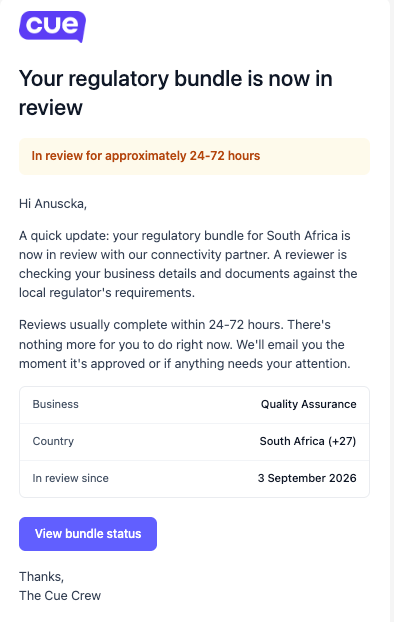
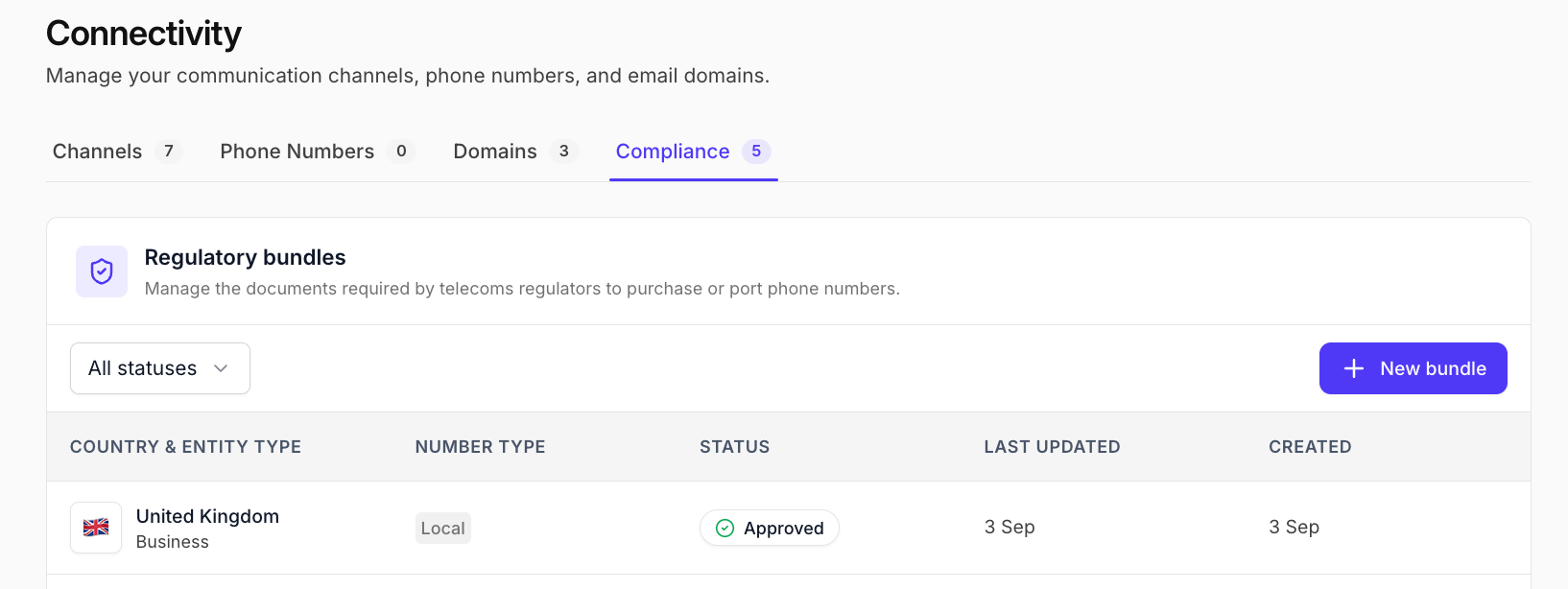
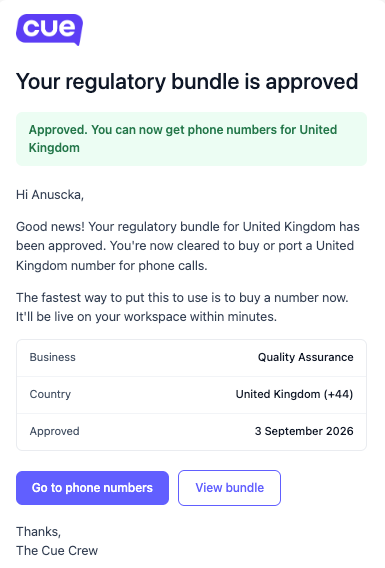
Approval takes up to three business days. You'll be notified by email once your bundle is approved and you can proceed to acquire a number.
If your bundle is rejected
Common reasons for rejection include missing documents, mismatched address details between documents, or incomplete business registration information. You will receive a notification thereof and will be able to resubmit with the guidance of our team.
Purchase a new number
Once your regulatory bundle is approved, you can get a new number through Cue. How this works depends on the country.
United Kingdom
UK numbers are available straight away.
- Open app.cuedesk.com
- Navigate to Connectivity → Phone numbers
- Select New number
- Choose United Kingdom and the number type
- Browse the available numbers and select one
- Select Purchase number to confirm
The number appears in your workspace as Active, ready to attach to a Phone channel.
South Africa
South African numbers are set up by our team with a local carrier, so they aren’t available instantly.
- Open app.cuedesk.com
- Navigate to Connectivity → Phone numbers
- Select New number
- Choose South Africa and the number type (local, toll-free or mobile)
- Submit your request
The number shows as Pending while we set it up. All Workspace Owners will get an email once it’s Active and ready to attach to a Phone channel.
Port an existing number
Porting lets you transfer a phone number you already use with another provider into Cue, so you keep the same number your customers already know. Porting is a manual, coordinated process that takes longer than purchasing - it involves your current provider and the losing carrier network. Timelines and requirements differ by country and number type.
Before you start
- Your regulatory bundle for the destination country must already be approved.
- Do not close the account or deactivate the number with your current provider during the port - this will cause the port to fail and the number may be recycled by the network.
South Africa
Porting in South Africa is available for local numbers (021, 011) and toll-free numbers (0800)
United Kingdom - mobile numbers (+44-7)
United Kingdom - local numbers (+44-1, +44-2) and toll-free numbers (+44-800, +44-808)
UK providers we cannot port from
In rare cases, a number cannot be ported due to missing porting agreements between the losing provider and our carrier partner. The following UK providers are known to be unsupported:
- Dial 9
- Telecoms World
- Intelligent Telecoms Routing Ltd
- Core Telecom
- Invade International Ltd
- Suretec Systems
- Wavecrest Networks Limited
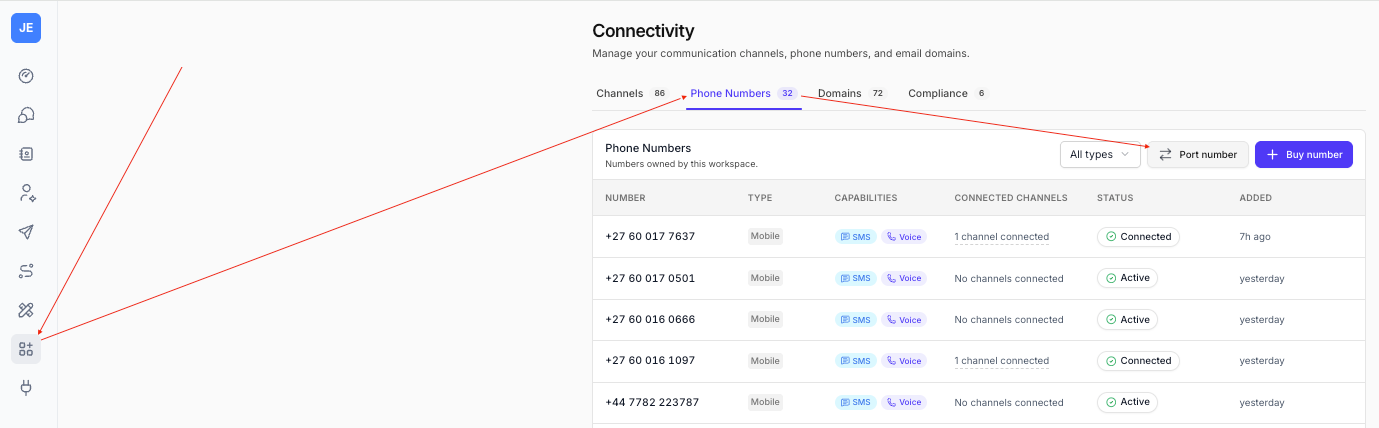
How to port a number
- Open app.cuedesk.com
- Navigate to Connectivity → Phone numbers
- Select Port number
- Choose the country and regulatory bundle
- Enter the number to port, Current provider and Account holder fields
- Select Submit port request
If a porting request is rejected
Once a porting request has been submitted to the losing provider, they can reject it for a number of reasons. The most common are set out below. If your port is rejected, your support contact will let you know the reason and what needs to be corrected.
Incorrect site address
The address on the LOA doesn't match what your current provider has on file. Confirm the address on record with your provider. If it's out of date, update it with them first, then let us know so we can ask the carrier to resume the port.
Invalid or incomplete range of numbers
The number being ported is part of a larger continuous block, and the carrier requires the whole range to be included. Check with your provider whether your number is part of a range, and either include all associated numbers in the request or ask the provider to break the range down.
Inactive number or outstanding charges
The number is not currently in service, or there are outstanding charges on the account. Contact your provider to reinstate the number and settle any outstanding charges before the port can be resumed.
Frequently asked questions
How long does the full setup take?
Allow up to 3 business days for regulatory approval. After that, UK numbers are ready in a few minutes. South African numbers need our team to set them up with the carrier, and you’ll get an email when the number is ready. For ported numbers, see the timelines in the porting section above.
Can I configure my number while I wait for regulatory approval?
No. Configuration is only available once a number is active in your workspace, which requires the regulatory bundle to be approved and the number to be acquired.
Do I need to submit separate documents for each number?
No. Once you have submitted and had approved a regulatory bundle for a country and number type, you can use it for further numbers in that country without resubmitting.
How long does the full setup take?
For a purchased number, allow up to 3 business days for regulatory approval, then a few minutes to purchase and configure. For a ported number, allow 5 to 7 business days for UK mobile, and 4 to 6 weeks for all other number types.
Can I have more than one number in my workspace?
Yes. You can add as many numbers as you need. Each number can be attached to its own Phone channel.