
Conversation search
The search feature in Cue is a tool that allows you to locate a specific conversation with ease. Whether you're searching by contact details, ticket information, or other attributes, search ensures you can quickly access the information you need.
Step-by-step interactive guide:
Follow this link for a step-by-step interactive guide on how to use our system.
What Can You Search By?
You can search for conversations using the following criteria:
- Phone Number: Enter the client's phone number to find associated conversations.
- Message Text: Look up conversations by keywords or phrases in the message content.
- Contact Name: Search using the client's name.
- Ticket ID: Use the unique ID assigned to a ticket for precise results.
- Subject: Look up conversations by keywords or phrases in the subject line.
- Status: Look up conversations by their respective status.
- Conversation type: Search for conversations based on the type of conversation, whether it be a chat or a ticket.
- Tag: Find conversations with specific tags applied.
- Assignee: Search for tickets or chats assigned to a particular team member.
- Team: Locate tickets managed by a specific team.
- Channel: Filter conversations based on the channel they originated from, such as WhatsApp, or the web widget.
- Quarantined: Presents all email conversations that are in quarantine state.
How to Search
Access the Search Icon
- Open the Inbox interface in Cue.
- Locate the search icon (🔍) at the top of the Inbox screen.
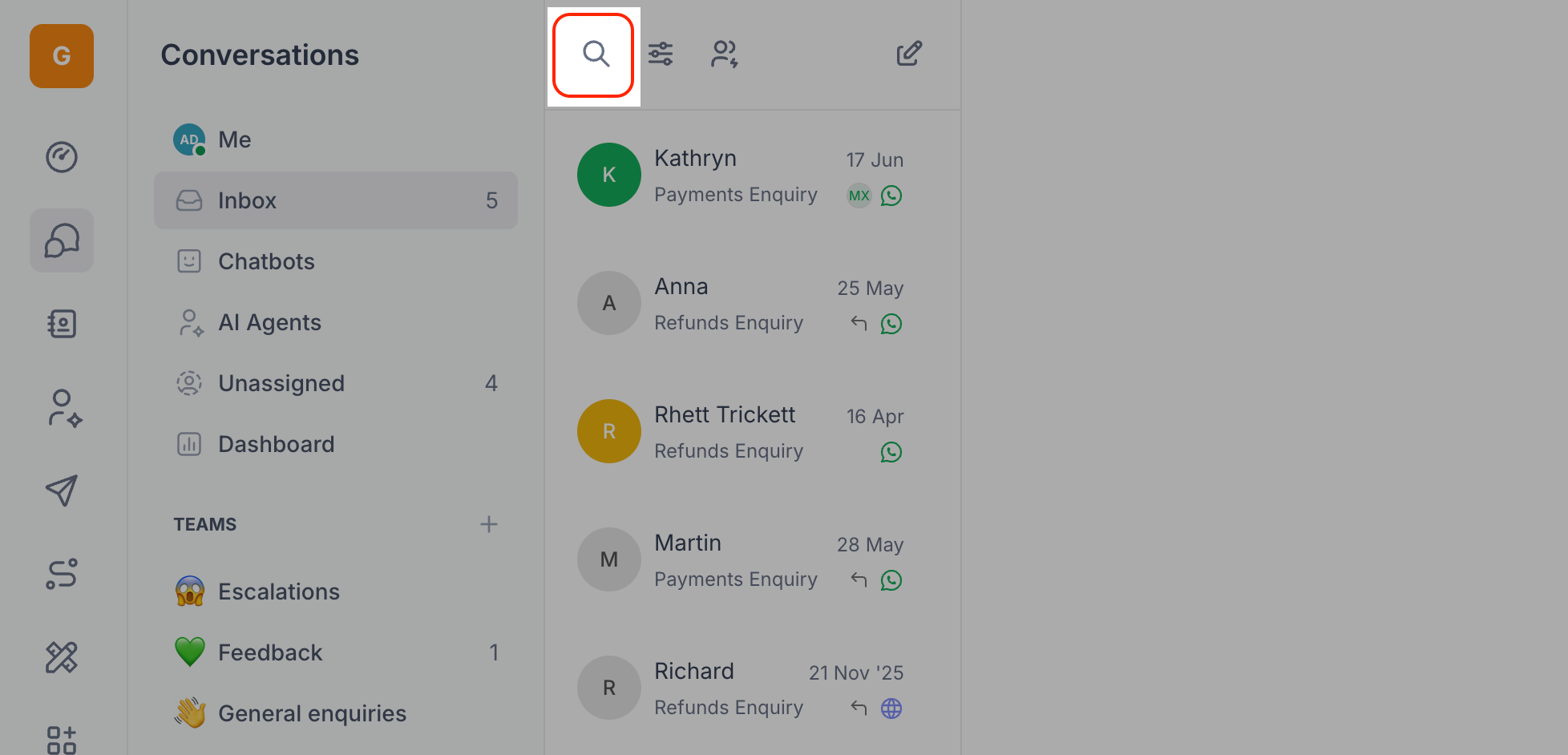
Enter Your Search Query
- Type your search term into the search bar. For example:
- A phone number (e.g., 44123456556)
- A ticket ID (e.g., CUE-123)
- A keyword from the subject line (e.g., "invoice inquiry")
Refine Your Results
- Use filters to narrow down your search. You can select filters for tags, teams, or channels to get more targeted results.
Review Search Results
- The search results will appear as a list. Click on any result to view the conversation details.
Pro Tips for Efficient Searches
- Use specific keywords to minimize unrelated results.
- Combine filters with keywords for more refined searches.
- Regularly update tags and details to improve search accuracy.
FAQs
Can I search for closed conversations?
Yes, you can search for conversations regardless of their status. Use filters to include closed conversations in your results.
What if my search doesn't return any results?
Double-check your spelling and ensure the correct filter is applied. If needed, broaden your search terms.
Can I view frequently used searches?
Yes, Cue saves previous searches.