
Navigating Your Dashboard
This guide explains the Cue dashboard, a visual overview of what's happening in your workspace. It’s important to understand a few core elements such as active contacts, active users, open tickets, and conversations.
Finding your dashboard
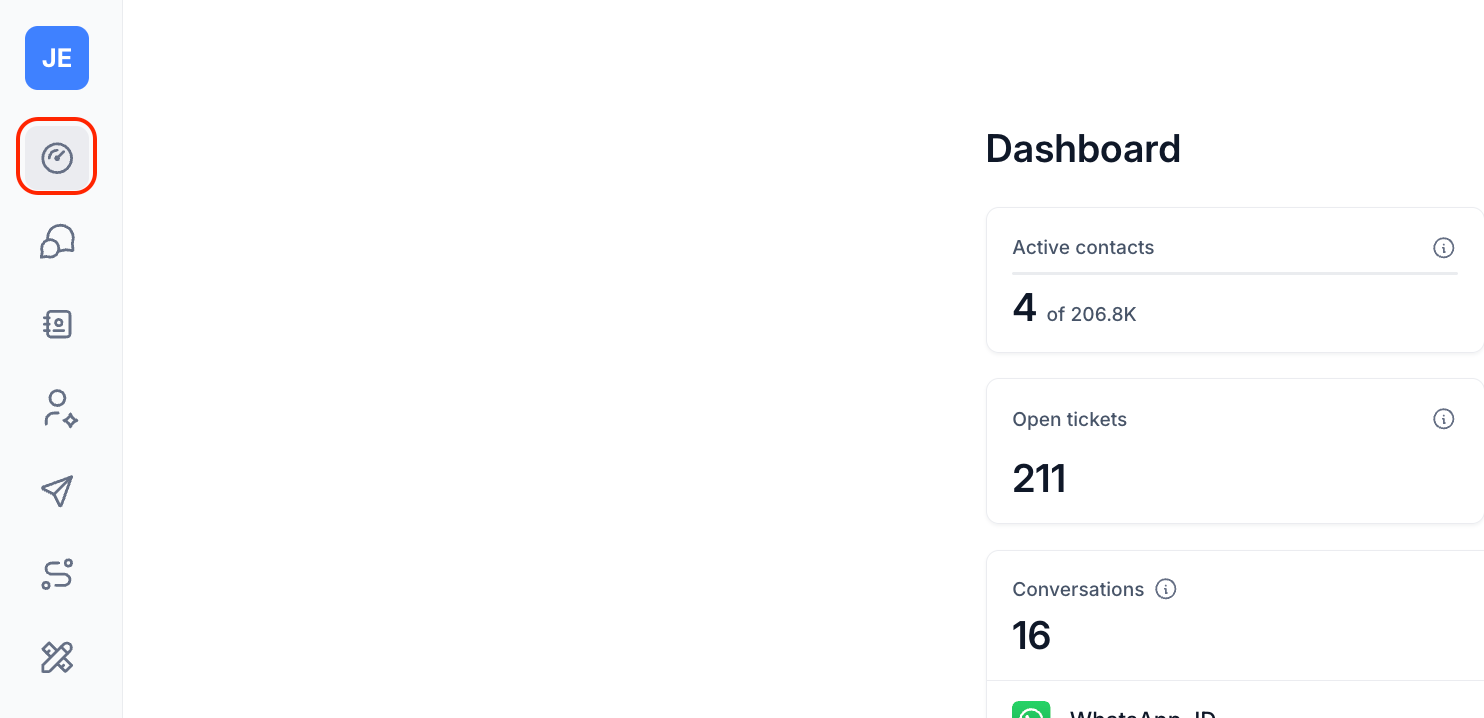
You will be able to find the dashboard icon just above your inbox icon on the left panel of your workspace.
Date range
You can filter data to your desired date range by clicking on the date dropdown. Then select the appropriate date range, and the dashboard will automatically update its data accordingly. You can look as far back as the previous month.
Active contacts
Anyone that has interacted with a channel in your workspace in a given time period eg. This Month. Each time a user interacts a channel we count that they have used the service for that day (i.e. we only store one record per day per user if they interact with a channel).
Call minutes
This shows the total number of call minutes your workspace has used in the selected date range across all Phone channels.
Active users
Agents or other individuals that have interacted with tickets in your workspace in a given time period eg. This Month. This group includes agents, broadcast managers, flow managers, as well as workspace managers and owners.
Open Tickets
This shows the total number of open tickets in your Inbox. This number is not based on a specific date period.
Conversations
This shows the total number of conversations in your Cue workspace. The Cue conversation counting method accounts for conversations on all channel types (e.g. WhatsApp, Messenger, Web Chat, Email, Phone). The percentage shows how many of the total conversations for a time period came from which channels.
For phone channels, you'll also see the number of outbound call minutes next to each channel. Hover over it to see the full label.
Cue Conversations: A new conversation is opened when a contact sends a message to your workspace for the first time. This conversation remains open until a flow they are interacting with ends, or there is no response in a flow for 24 hours, or during a LiveChat the user closes the ticket and no resolution flow is published or there is a resolution flow and the flow is ended. If a contact sends a message after their previous conversation was closed, a new conversation will be started. Also to note is that a contact can have multiple conversations in a day, these are all counted individually.
WhatsApp Conversations: WhatsApp counts and bills conversations a bit differently. There is no way to close a conversation, it just expires after 24 hours. A conversation can be initiated by either a user, referred to as a service type conversation or a business, which can be a marketing, utility or authentication type conversation.
This means that Cue's count of WhatsApp conversations will always tend to be higher than WhatsApp because we close at the end of an interaction and not only after a user has not replied after 24 hours.
You can learn more about conversations here.